Learning to fly is exciting. The cockpit feels new. The screens look busy. The buttons feel important. Many student and private pilots ask the same question early on. Which setup makes more sense for training and everyday flying? That question often turns into a clear comparison between Garmin G1000 vs G5 in the Cessna 172. Both systems show the same basic information, but they do it in very different ways. One looks fully digital.
The other blends old and new. Understanding how they work helps you feel calm and confident before your next lesson. Let’s walk through what really matters and why pilots talk about this choice so often.
Key Takeaways
The G1000 uses large screens that replace most round dials, while the G5 keeps a simpler layout with smaller digital displays that support classic gauges. Both help pilots control the airplane safely, but they feel different to use.
| Feature | Garmin G1000 | Garmin G5 |
| Screen size | Large screens | Small screens |
| Layout | Fully digital | Mixed digital and round dials |
| Training style | System-based | Basic skill focused |
| Backup role | Primary system | Support system |
| Cost | Higher | Lower |
What Avionics Mean in a Garmin G1000 vs G5 Cessna 172
When pilots talk about avionics, they mean the tools that show information and help guide the airplane. In a cessna 172, avionics tell you speed, height, direction, and engine health. They also help with navigation and communication. This is where garmin systems stand out.
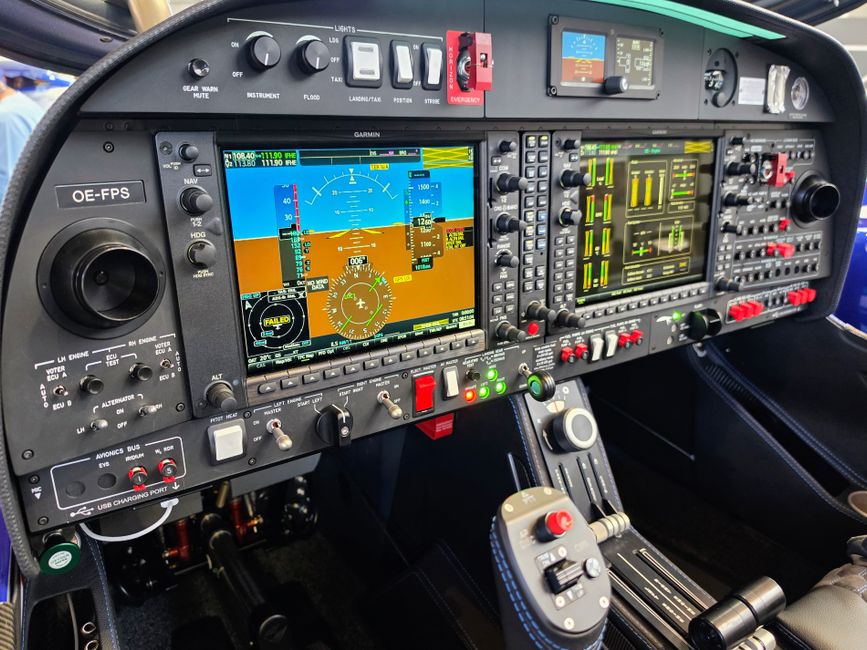
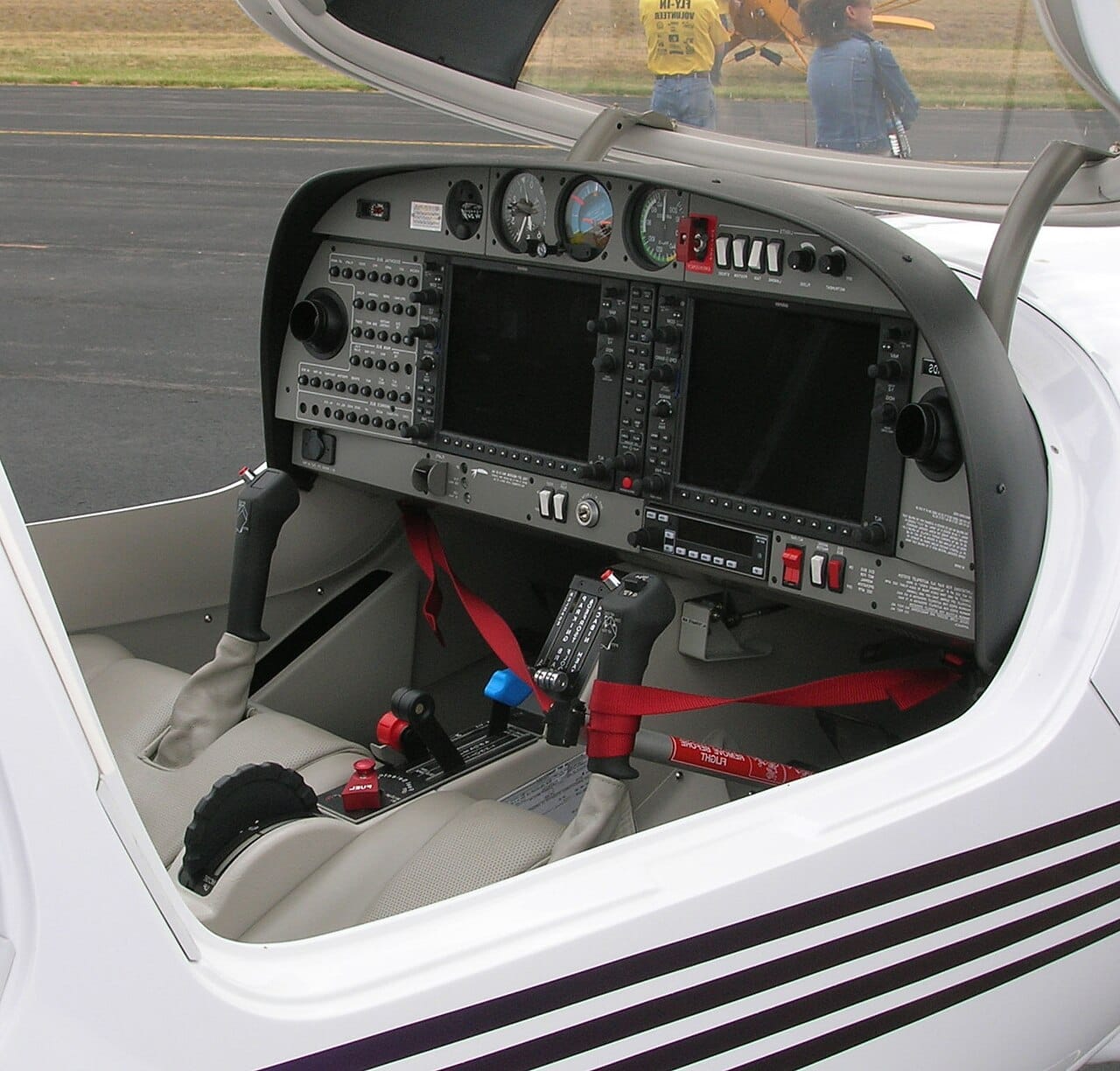
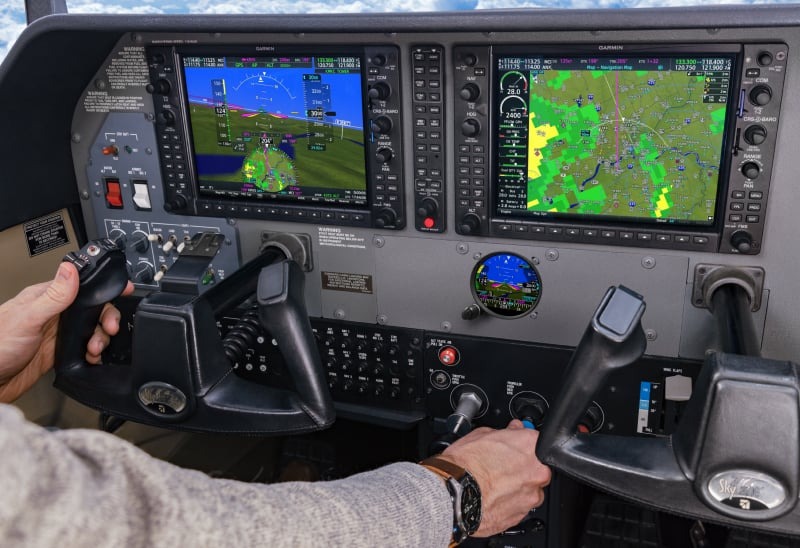
The g1000 setup places two big screens in front of the pilot. One acts as a pfd, showing airspeed, altitude, and attitude. The other works as an mfd, which can show a moving map, weather, and engine data. This creates a g1000 glass cockpit that feels clean and organized. Many pilots like how the information flows together in one place. The display is bright and easy to read, even in sunlight.
The g5 works differently. A garmin g5 is a smaller electronic instrument that fits into a traditional panel. It often replaces one round gauge, like an altimeter or attitude indicator. Some planes use dual g5 units, which gives two digital screens side by side. This setup keeps familiar analog instruments while adding modern digital help.
Both systems support ifr training and everyday day vfr flying. The difference is how much information shows at once. The G1000 can integrate gps, ads-b, and navigation tools into one screen. The G5 often acts as a backup or standby option, working alongside traditional analog or steam dials.
For training, avionics shape how you scan the cockpit. A G1000 teaches system awareness. A G5 supports basic stick-and-rudder skills. Both are approved by the faa and designed for safe aviation use. The goal is the same. Help the pilot control the aircraft with clear flight instruments.
Why Pilots Compare Garmin G1000 vs G5 in the Cessna 172
Pilots compare these systems because training habits stick for life. The way you learn to fly often shapes how you handle future airplane types. Many schools equip newer 172s with the garmin g1000, while older models use a G5 setup.
Cost matters too. The price point for a full G1000 install is higher. Maintenance and hardware updates can add to that cost. A G5 upgrade is simpler and faster during installation. That makes it popular with owners who want modern avionics without a full panel rebuild.
Another reason is workload. The G1000 has menus, soft keys, and a central knob system. It uses an fms style layout similar to a gtn 750 or 530w. This is great for complex flight planning. The G5 focuses on one function at a time. That can feel calmer during early lessons.
Autopilot support also plays a role. A G1000 can pair with systems like gfc500 or gfc units, including a 500 autopilot option. This helps with long trips and training scenarios. G5 units can also work with an autopilot, but often in a limited way.
Sim training adds another layer. Many students practice with microsoft flight simulator or msfs, especially versions built by asobo. These sims model the G1000 closely. That makes chair flying easier. G5 setups feel closer to flying a warrior or older trainer with analog layouts.
Some pilots prefer future flexibility. A G1000 cockpit feels closer to jets and advanced capability planes. Others want strong basic skills that transfer across aircraft types, including those with aspen, g3x, or mixed instrumentation.
At the end of the day, both systems help you manage engine data, hold heading with an hsi, and use synthetic vision when available. They both enable safe flying. The right choice depends on training goals, budget, and comfort with modern digital tools.
How the Cessna 172 Fits the Garmin G1000 vs G5 Decision
The cessna 172 plays a big role in how pilots think about avionics choices. This airplane is simple, steady, and forgiving. That is why so many pilots learn their first flight skills in it. Because the airplane itself stays the same, the avionics inside the cockpit stand out even more. The choice between a full glass setup and a lighter digital option feels very real in this aircraft.
The Cessna 172 has a wide and open panel. This gives room for different layouts. Some 172s come from the factory with a full glass system. Others are upgraded over time. That flexibility is one reason this airplane works well for comparing setups.
Let’s break down how the airframe, training role, and daily use of the 172 shape the Garmin G1000 vs G5 decision.
The Cessna 172 as a Training Platform
The Cessna 172 is used for training all across the USA. Flight schools like it because it is stable and predictable. Students like it because it feels calm in the air. In this environment, avionics should support learning, not distract from it.
With a glass setup, the pilot sees a large display that combines many pieces of information. Airspeed, altitude, and attitude sit together on a pfd. Heading and course data show clearly on the hsi. This layout reduces head movement and helps new pilots stay focused.
With a G5-based setup, learning feels different. The pilot still sees digital data, but often alongside analog dials. This encourages a strong scan habit. You look from one instrument to the next. That skill transfers well to many other airplanes.
Both layouts work in the 172 because the airplane gives you time to think. It does not rush you. That makes it a great classroom in the sky.
How Panel Space Shapes the Choice
The panel size in the Cessna 172 supports many layouts. A full glass system fills much of the center panel. This creates a clean and modern look. Everything is in one place. It also limits how much room is left for other tools.
A garmin g5 setup takes far less space. Some aircraft use dual g5 units side by side. Others pair one G5 with round dials. This leaves space for radios, navigation units, and future upgrades.
This matters for owners and schools that want flexibility. A smaller digital unit is easier to move, replace, or expand later. A full glass setup is more fixed but very polished.
Digital and Analog Working Together
Many pilots like the balance of digital and steam gauges in the Cessna 172. Steam gauges are familiar. They are simple. They also provide comfort during early training.
A mixed setup lets the pilot use digital accuracy while keeping traditional references. The G5 can replace a single gauge while leaving others in place. This creates a gradual step into modern flying.
A full glass system removes most round dials. That pushes the pilot to trust the screen. For some, this feels clean and efficient. For others, it feels like a big jump.
Because the 172 is forgiving, it supports both learning paths without stress.
Autopilot and System Integration
The avionics choice also affects how systems work together. Many glass panels are designed to integrate tightly with other systems. This includes navigation, engine monitoring, and the autopilot.
In a full glass setup, selecting a heading or course often takes fewer steps. The system logic is unified. One change updates multiple views. This improves functionality during longer trips and advanced training.
A G5 setup still supports automation, but often in a simpler way. The function focus stays on core flying tasks. This can reduce workload during early lessons.
The Cessna 172 does not need heavy automation to fly well. That makes it a good match for both styles.
IFR Training in the Cessna 172
Many pilots earn instrument ratings in the Cessna 172. For ifr work, avionics clarity matters. Clear course guidance, stable attitude information, and easy mode awareness are key.
Glass panels shine here. They present data in a clean and organized way. Course changes, holds, and approaches feel structured.
A G5 setup can still handle IFR work. It supports precise attitude and heading data. When paired correctly, it gives solid redundancy. This builds confidence in backup systems.
The 172’s steady flight characteristics help pilots focus on procedures instead of fighting the airplane.
Engine and Aircraft Awareness
The avionics also affect how you watch the engine and overall aircraft health. In a glass panel, engine data often appears on the same screen as navigation or on a dedicated area. Trends are easy to spot.
With smaller digital units, engine data may appear on separate instruments. This requires more head movement but reinforces awareness.
Both methods work well in the 172 because engine behavior is predictable. Changes happen slowly. That gives the pilot time to respond.
Matching Avionics to Mission
The Cessna 172 supports many missions. Training flights. Local practice. Cross-country trips. Light business use. The avionics should match that mission.
A full glass system suits pilots who plan to move into advanced aircraft. It teaches system thinking early. It also matches many newer airplanes.
A lighter digital setup suits pilots who value simplicity and flexibility. It supports strong basics and adapts easily.
Some aircraft even use dual garmin setups that mix tools for balance. Others step up to systems like g500 or full glass with a 1000 layout.
Because the 172 is so adaptable, it handles all these choices well.
Why the Airframe Matters
The Cessna 172 is forgiving, stable, and honest. That makes avionics differences easier to feel. You are not busy fighting turbulence or managing complex systems. You are learning how information flows.
That is why this airplane is perfect for understanding avionics choices. It lets the pilot focus on learning, not surviving.
No matter which setup you choose, the 172 supports growth in aviation skills. It gives you time to think, learn, and enjoy the process.
In the end, the airplane does its part. The avionics simply shape how you learn to use it.
Conclusion
Choosing between Garmin G1000 vs G5 in the Cessna 172 comes down to how you want to learn and how you plan to fly. Both systems are proven, reliable, and widely used across general aviation. Focus on building strong skills first, then grow into the tools. If you want help exploring airplanes, training paths, or avionics options, visit Flying411 and start your next step with confidence.
FAQs
Is the Garmin G1000 harder to learn for beginners?
It takes more time at first, but many students adapt quickly with practice and good instruction.
Can a Cessna 172 have both G1000 and G5?
Some aircraft use a G5 as a backup with other systems, but full G1000 panels are usually standalone.
Does the G5 support IFR flying?
Yes, when installed and approved properly, it supports IFR operations.
Is one system safer than the other?
Both meet FAA standards and are safe when used correctly.
Which system is better for rental aircraft?
Flight schools often choose based on cost, training goals, and maintenance needs.